Bookings land in your own calendar.
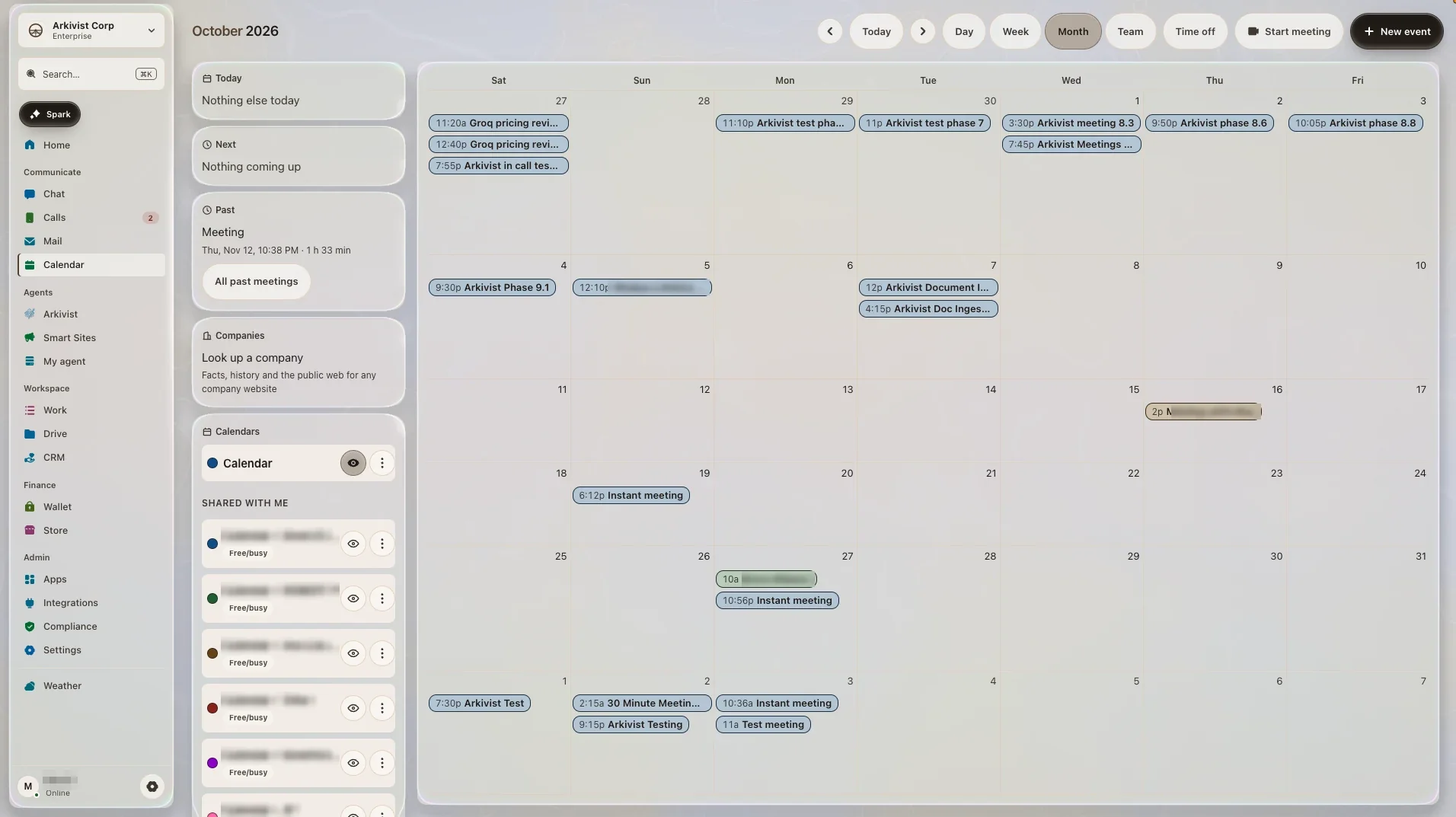
The GRID's own calendar, with booking pages for you, your team, your rooms and your equipment. No separate booking app.
The problem
Booking runs through another subscription that holds your customers' details and your availability.
What it does
Booking pages
A public page where people pick a free time, held for them while they book.
Team pages
One page for the whole team: visitors see everyone's free time, and the booking goes to whoever is best placed.
Rooms and equipment
Book a meeting room or a piece of kit the same way you book a person.
Meetings remembered
A brief before you join, and the way back to a past meeting's transcript afterwards.
How it works
Set your hours
Pick your time zone and working hours once.
Share a page
Send your booking link, or your team's.
They pick a time
The slot is held while they book, and lands in your calendar.
Meet, then remember
A brief before you join; the transcript afterwards.
Questions? Here are the answers.
Didn't find yours? Email us at .
Meetings, booking pages and a brief before you join, in a calendar that is yours. It is part of The GRID.
Booking runs through another subscription that holds your customers' details and your availability.
1. Set your hours: Pick your time zone and working hours once. 2. Share a page: Send your booking link, or your team's. 3. They pick a time: The slot is held while they book, and lands in your calendar. 4. Meet, then remember: A brief before you join; the transcript afterwards.
Booking pages: A public page where people pick a free time, held for them while they book. Team pages: One page for the whole team: visitors see everyone's free time, and the booking goes to whoever is best placed. Rooms and equipment: Book a meeting room or a piece of kit the same way you book a person. Meetings remembered: A brief before you join, and the way back to a past meeting's transcript afterwards.
Own it. Stop renting it.
SmartCal is part of The GRID: chats, mail, calendar, files, customers and money in one place you own.